🤝 LIFI aggregation access
1. 📖 Overview
SwapX integrates the LiFi aggregated liquidity platform to provide a superior trading experience.
By leveraging Li.Fi’s robust cross-chain infrastructure, SwapX breaks down the traditional "silo effect" between blockchains, achieving full-chain interoperability. Users no longer need to switch between different bridges and decentralized exchanges (DEXs). Within the single SwapX interface, you can complete seamless transfers and swaps of multi-chain assets.
Whether it is a same-chain token swap or a cross-chain asset migration (e.g., from Xone Chain to BSC, or BSC to Ethereum), it can be completed with just one click.
2. Key Features ✨
2.1 Aggregated Liquidity & Multi-Chain Support
- Technical Foundation: Powered by the Li.Fi protocol, SwapX aggregates liquidity from major cross-chain bridges and DEXs to find the optimal swap path and exchange rate for users.
- Extensive Ecosystem: Supports asset interoperability across a vast range of mainstream and emerging public chains.
| Category | Supported Chains |
|---|---|
| Layer 1 | Ethereum, BSC, Avalanche, Polygon, TRON |
| Layer 2 | Xone, Arbitrum One, OP Mainnet, Base |
Use Case: Users can easily swap USDT on the XONE Chain for USDT on BSC, or bridge USDT from BSC to Ethereum.
2.2 Seamless Cross-Chain Swaps
- Atomic Transactions: Combines "Asset Bridging" and "Token Swapping" into a single step. Set your source and destination; the system automatically handles bridging and swapping in the background.
- Flexible Recipient Addresses: Supports specifying a destination address during the transaction. You can swap to your current wallet or send directly to a different address.
3. Step-by-Step User Guide 🚀
Follow these steps to perform a cross-chain or same-chain swap on SwapX:
Step 1: Select Chain & Token ⛓️
Navigate to the SwapX homepage and click the "Swap" tab.
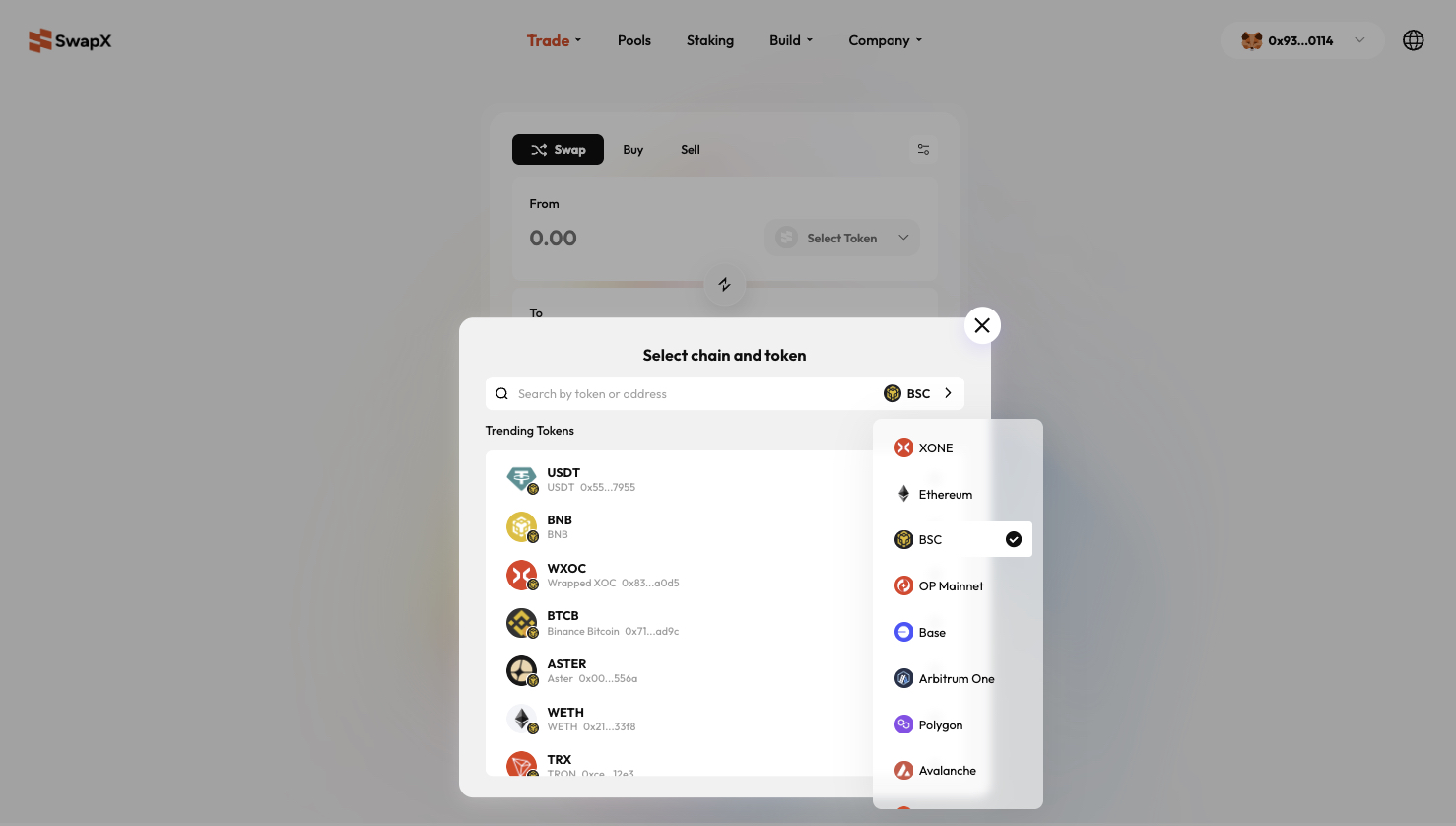
- Set Source (From): Click the dropdown to select the chain (e.g., BSC) and the token (e.g., USDT) you currently hold.
- Set Destination (To): Click the dropdown to select the target chain (e.g., Ethereum) and the desired token (e.g., USDT).
- Interface Note: Clicking the token selector opens the "Select Chain and Token" list, allowing searches by token name or address across supported chains like XONE, Ethereum, and BSC.
Step 2: Enter Amount 🔢
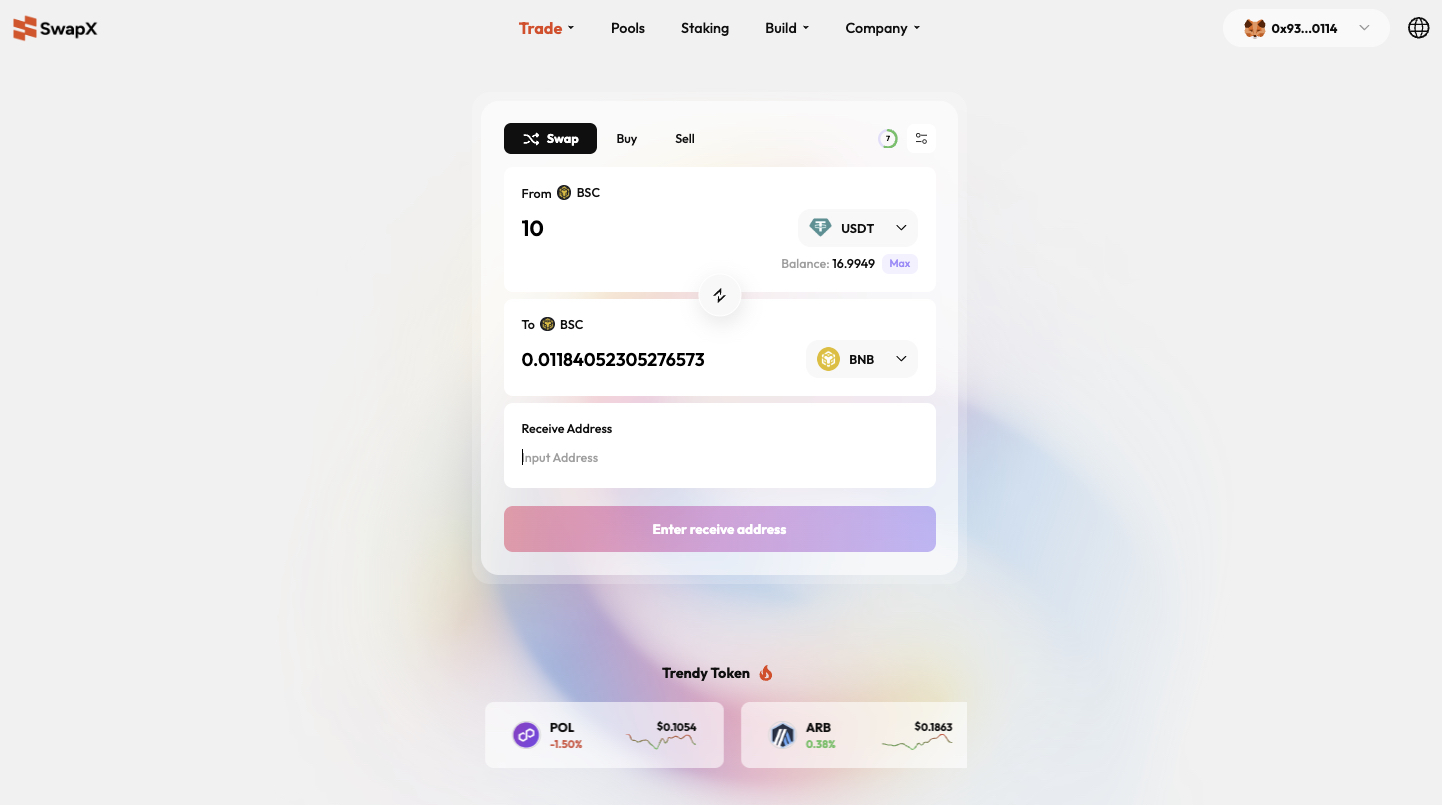
Input the quantity you wish to swap in the "From" section.
- The system automatically reads your wallet balance.
- Use the "Max" button to quickly fill in your entire balance.
- Real-time Calculation: Based on the Li.Fi path, the system calculates and displays the estimated receiving amount instantly.
Step 3: Confirm Recipient Information 👤
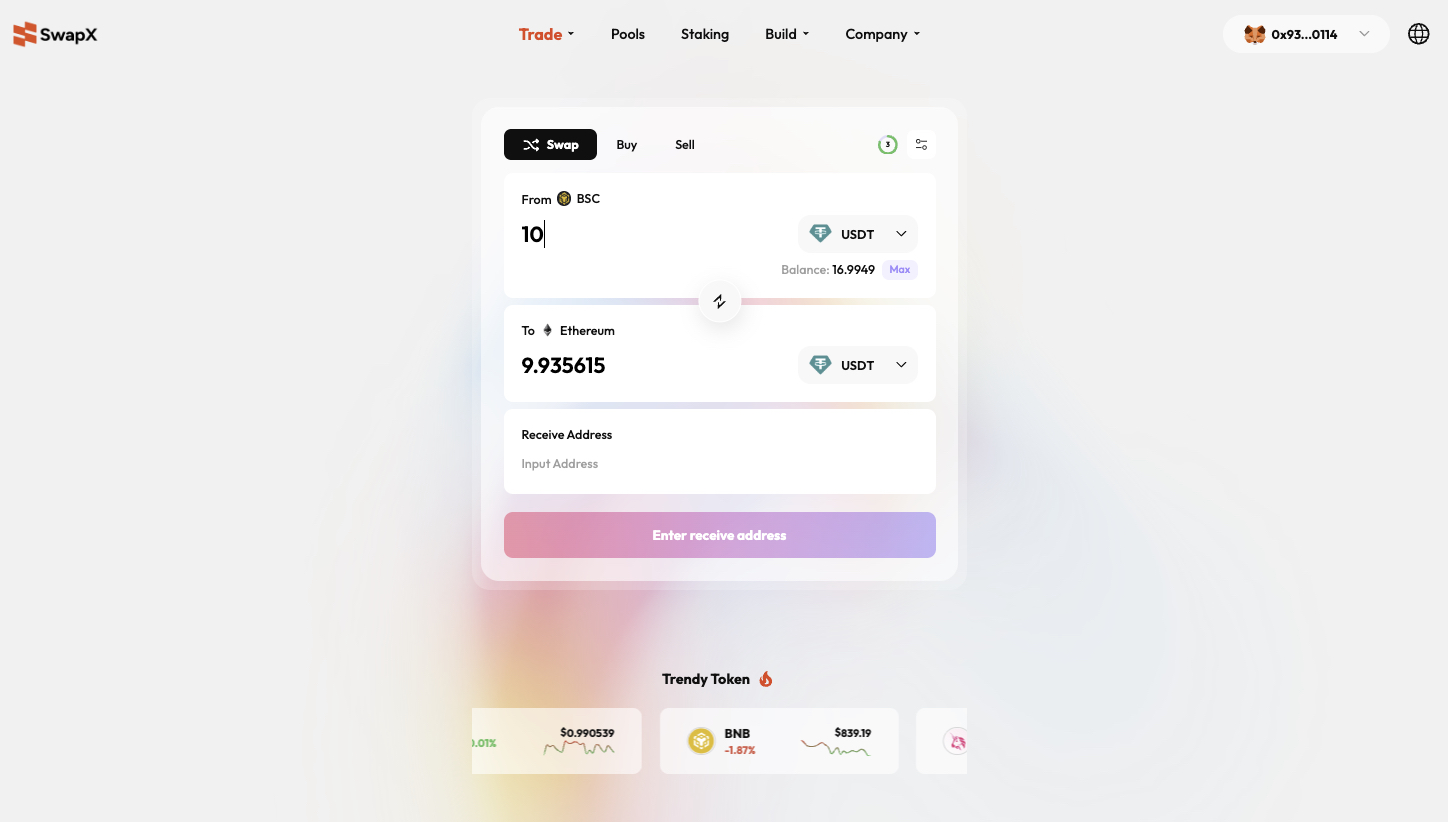
- Recipient Address: A field is provided at the bottom of the interface.
- Self-Swap: Ensure the address matches your currently connected wallet.
- External Transfer: If sending to another person or an exchange, paste the destination wallet address into the "Enter Address" field.
- Example: When swapping 100 USDT (BSC) to Ethereum, the UI clearly displays the estimated 99.44 USDT arrival after accounting for cross-chain slippage/fees.
Step 4: Execute Transaction ✅
- Review the route (e.g., BSC -> Ethereum), amount, and exchange rate.
- Click the "Enter Recipient Address" or "Swap" button (depending on current status).
- Sign and confirm the transaction in your wallet extension.
- Completion: Wait for on-chain confirmation. Assets will automatically arrive at the destination address on the target chain.